
Networking
Why Your Office Wi-Fi Is Costing You More Than You Think
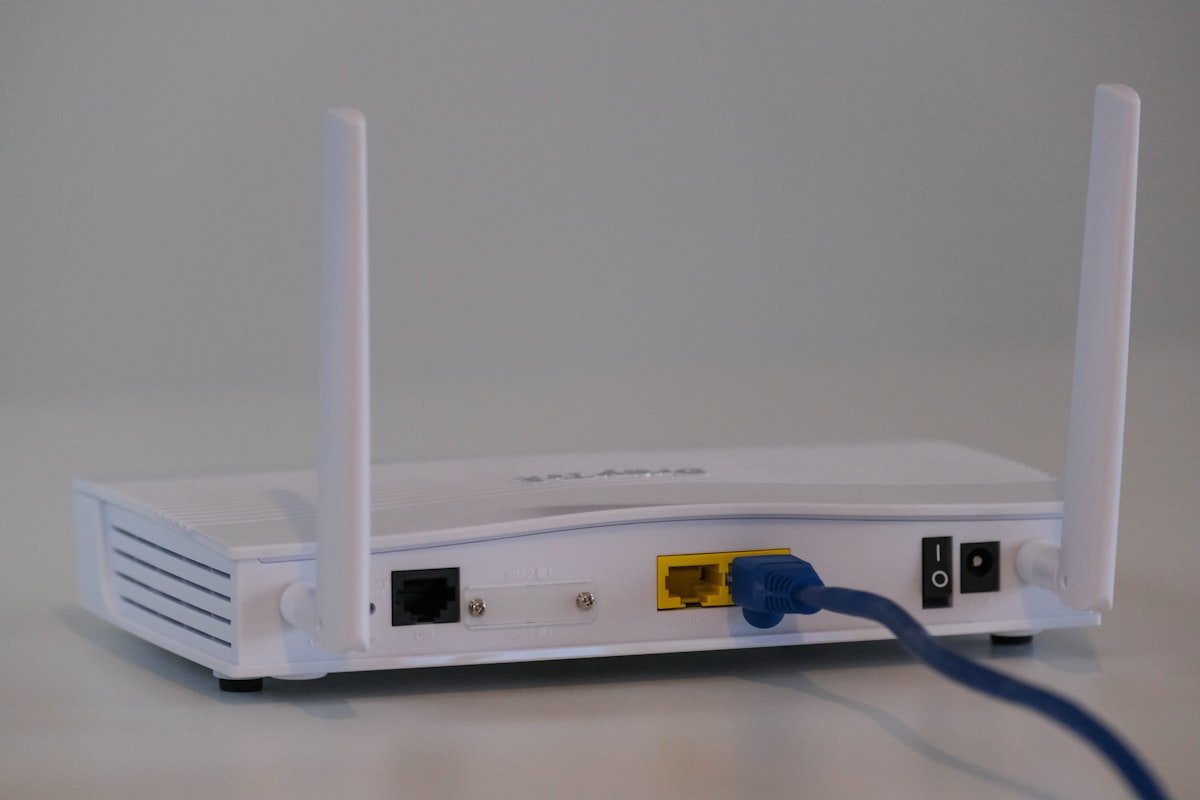
The Most Expensive Piece of Equipment in Your Office Costs Less Than K2,000
It sits in a corner, probably plugged into a wall, with a few blinking lights nobody pays attention to. Your staff walk past it every day without a second thought. And yet it quietly determines whether your business runs smoothly or grinds to a halt.
It is your router. And there is a very good chance it is the wrong one for the job.
This is not a criticism of any particular brand. It is a structural problem. The router you bought, or that came bundled with your internet service, was designed for a household. A family streaming movies and browsing social media on a Sunday afternoon. It was never designed to handle ten people on a video call, a shared accounting system, a cloud backup running in the background, and a WhatsApp group with a hundred unread voice notes, all at the same time. When you push it beyond what it was built for, it struggles. And that struggle looks exactly like the IT problems your team complains about every week.
What "It Just Stopped Working" Actually Means
When staff tell you the Wi-Fi is slow, or that they keep getting dropped from Zoom, or that the internet was fine this morning but now it is not, they are describing the symptoms of a network that was never sized for a business.
Here is what is actually happening beneath the surface.
Consumer routers have connection limits. Most home-grade routers are designed to handle somewhere between 10 and 20 devices comfortably. A small office of eight people, each with a laptop, a phone, and maybe a tablet, is already pushing 24 devices before you count the printer, the smart TV in the boardroom, and any guests on your network. The router does not crash dramatically. It just degrades slowly and unpredictably, which is why the problem seems random.
All traffic is treated equally on a home router. On a properly configured business network, critical traffic like video calls and accounting software gets priority. Everything else waits its turn. On a consumer router, someone downloading a large file from Google Drive gets the same share of bandwidth as the MD on a call with an important client. The call stutters. The client notices. The MD gets frustrated. Nobody connects this to the router in the corner.
Wi-Fi coverage is not the same as Wi-Fi capacity. You may have a router with a strong signal that reaches every corner of your office. But signal strength and the ability to handle multiple simultaneous users are two completely different things. A single access point, no matter how powerful, has a ceiling on how many devices it can serve at once before quality drops. As your team grows, that ceiling becomes a bottleneck.
The Zambian Business Reality
These problems are not unique to Zambia, but the local context makes them sharper.
Most Zambian SMEs are working with internet connections that are already under pressure. Whether you are on fibre in Lusaka or using an LTE router in a smaller town, bandwidth is a genuine cost. A poorly configured network wastes the bandwidth you are already paying for. Devices that do not belong on your business network, neighbours who have guessed your Wi-Fi password, software doing automatic updates during business hours, all of this eats into your connection before your staff even open their browsers.
Load shedding adds another layer of complexity. When the power comes back on, every device in your office reconnects to the network at the same moment. A home router was not designed to handle that kind of simultaneous reconnection event gracefully. A business-grade network, with proper access points and a managed switch, recovers cleanly. A consumer setup often requires someone to physically restart the router before things stabilise.
There is also the question of how Zambian offices actually use the internet now compared to five years ago. The shift to cloud-based accounting software, Google Workspace, Microsoft 365, and video meetings on Zoom or Teams has fundamentally changed what a business network needs to do. These applications are sensitive to latency and connection stability in a way that simply browsing the web is not. Running them reliably requires a network that was designed with business use in mind from the start.
What a Proper Business Network Actually Looks Like
The gap between a home setup and a business setup is not as expensive or complicated as most people assume. The core components are straightforward.
A business-grade router manages traffic intelligently. It can prioritise certain types of data, maintain stable connections for far more devices, and give your IT support team visibility into what is happening on the network when problems arise.
A managed network switch connects all your wired devices cleanly. Wired connections are always more stable than Wi-Fi for devices that do not move, like desktop computers, printers, and the boardroom TV. A switch gives you that stability and keeps wired traffic separate from wireless traffic so neither interferes with the other.
Dedicated wireless access points replace the Wi-Fi function of your router with hardware that was built specifically for multi-user environments. In a medium-sized office, you may need two or three of these mounted on the ceiling or walls to provide proper coverage and capacity. They look unobtrusive and they make an immediate, noticeable difference.
Structured cabling ties all of this together. Cables running properly through walls and ceilings, terminated neatly in a cabinet, is not just tidier than cables taped along skirting boards. It is more reliable, easier to troubleshoot, and more professional when clients visit your office.
None of this requires a dedicated IT department to maintain once it is set up correctly. A well-designed business network mostly looks after itself.
The Hidden Cost You Are Already Paying
Business owners often hesitate at the upfront cost of a proper network setup, which is understandable. But it is worth doing the arithmetic on what the current situation is already costing.
Think about how many hours per week your team loses to connectivity problems. Waiting for a file to load. Reconnecting to a dropped call. Restarting the router. Being unable to access the accounting system. Multiply those hours by what you pay your staff. The number is usually larger than people expect.
Then consider the less visible costs. A video call that breaks up makes your business look unreliable to clients, even when the content of the meeting was excellent. A proposal sent late because the internet went down at the wrong moment. A customer complaint that went unanswered for hours because your team could not access their email.
A reliable network is not an IT luxury. It is the infrastructure that everything else in your business runs on. Treating it as an afterthought carries a real cost, one that most businesses are already paying without realising it.
Where to Start
If any of this sounds familiar, the most useful first step is an honest assessment of what you currently have and what your business actually needs. Not every office needs the same solution. A ten-person team working mostly on documents and email has different requirements from a twenty-person office running a shared database and daily video calls with international clients.
A proper network assessment looks at your current setup, your team size, how you use the internet, the physical layout of your office, and where you are likely to grow in the next two to three years. From that, it is possible to design a network that fits your actual situation rather than selling you more hardware than you need.
At Windhelm Digital, network assessments and installations are a core part of what we do for Zambian businesses. If your office internet has been causing problems and you are not sure where to start, get in touch with us and we will give you a clear picture of what is going on and what it would take to fix it properly. You can also see the full range of our networking and IT services on our website.
The router in the corner has been working hard. It may be time to give it a job it was actually built for.
Share this article